BETTERPRACTICEAPP
Free Companion App · iOS & Android
The BetterPractice app guides you through your BetterSquash practice plan with audio and visual cues, so you can focus on the ball, not the instructions.
WHAT IT DOES
Your on-court guide.
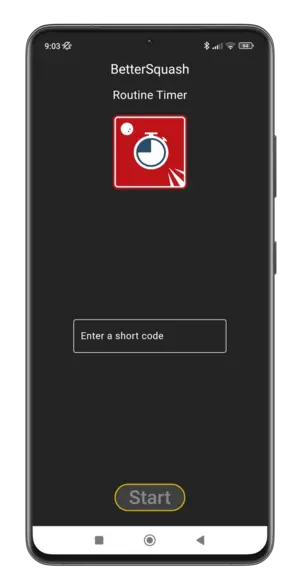
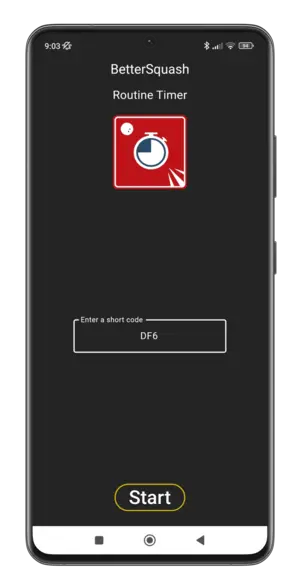
The BetterPractice app is a free companion to the BetterSquash Practice Plans. When you're ready to train, enter the shortcode from your routine's PDF sheet and the app takes over.
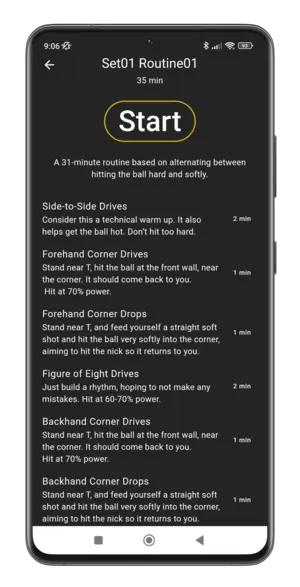
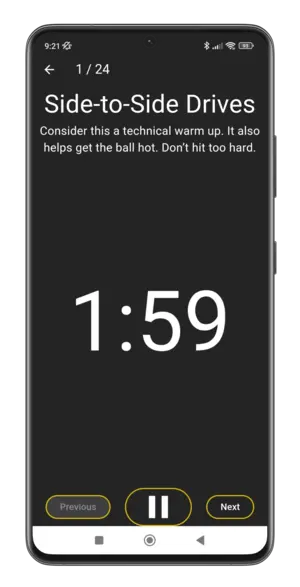
It displays each drill with timing information and delivers audio instructions: telling you what to do, when to switch, and offering mid-drill reminders like "Keep adjusting the angle" or "Don't forget early preparation." You can follow the screen, use earphones, or put a Bluetooth speaker on the court.
You can skip forward or repeat any drill to customise your session. Once a routine is loaded, the app works offline — no signal needed on court.
Download FreeAPP IN ACTION
See it in action before you download.
The best way to understand the BetterPractice app is to see it in use. You can also try it yourself with the free FastFocus sample routine — no purchase required.
REAL SCREENSHOTS
Screenshots taken on an Android device. The iOS version looks and works the same.
FAQ
Common questions, answered.
Is the app free?
Yes, the BetterPractice app is completely free. It's the Practice Plans that require purchase. There are free sample routines available so you can try the app before buying anything.
Do I need a BetterSquash account to use it?
No. There are no accounts, no sign-up, and no login. Just download the app, enter a shortcode, and start your routine.
Does it work offline?
Yes. You need an internet connection the first time you load a routine, but once loaded, the audio and routine data are stored on your device and the app works offline — even if you close and reopen it.
What is a shortcode?
Each routine has a unique shortcode printed on its PDF sheet. Enter it into the app's start page and the routine loads automatically. Shortcodes are not case-sensitive.
Can I skip or repeat drills?
Yes. Previous and Next buttons let you move between drills at any time. You can also pause the routine and resume it later as long as you don't close the app.
Can I use Bluetooth speakers or headphones?
Absolutely, and it's recommended. Depending on your court, a Bluetooth speaker placed in the corner works very well. Bone conduction headphones are another good option as they leave your hearing unobstructed on court.
Who built the app?
Florent Fauchille, a Practice Plans user, built the original app for his personal use. Together with Phillip, they refined it and made it available to all users.
A shortcode isn't working. What do I do?
Check that the code is entered exactly as displayed. If it still doesn't work, email [email protected] with your device details and we will do our best to fix it.
DOWNLOAD THE APP
It's free — no account, no catch.
Available for iOS and Android. No account required. If you have any problems, email [email protected] and we'll help.
For iOS

For Android

Once downloaded, try the free sample routine with shortcode DF6 — no purchase required.